> ## Documentation Index
> Fetch the complete documentation index at: https://help.i88.io/llms.txt
> Use this file to discover all available pages before exploring further.
# i88 Dashboard: Your Global Market Analytics Workspace
> Explore i88's fully customizable, multi-tab dashboard — surface real-time market data, charts, macro indicators, and news in one unified workspace.
The i88 dashboard is your personal market intelligence hub. From a single screen you can monitor global indices, track crypto assets, review macroeconomic indicators, and follow breaking financial news — all arranged exactly the way you want. Every element is configurable, every layout is saved to your account, and the workspace adapts seamlessly whether you're on desktop or mobile.
 ## Dashboard Tabs
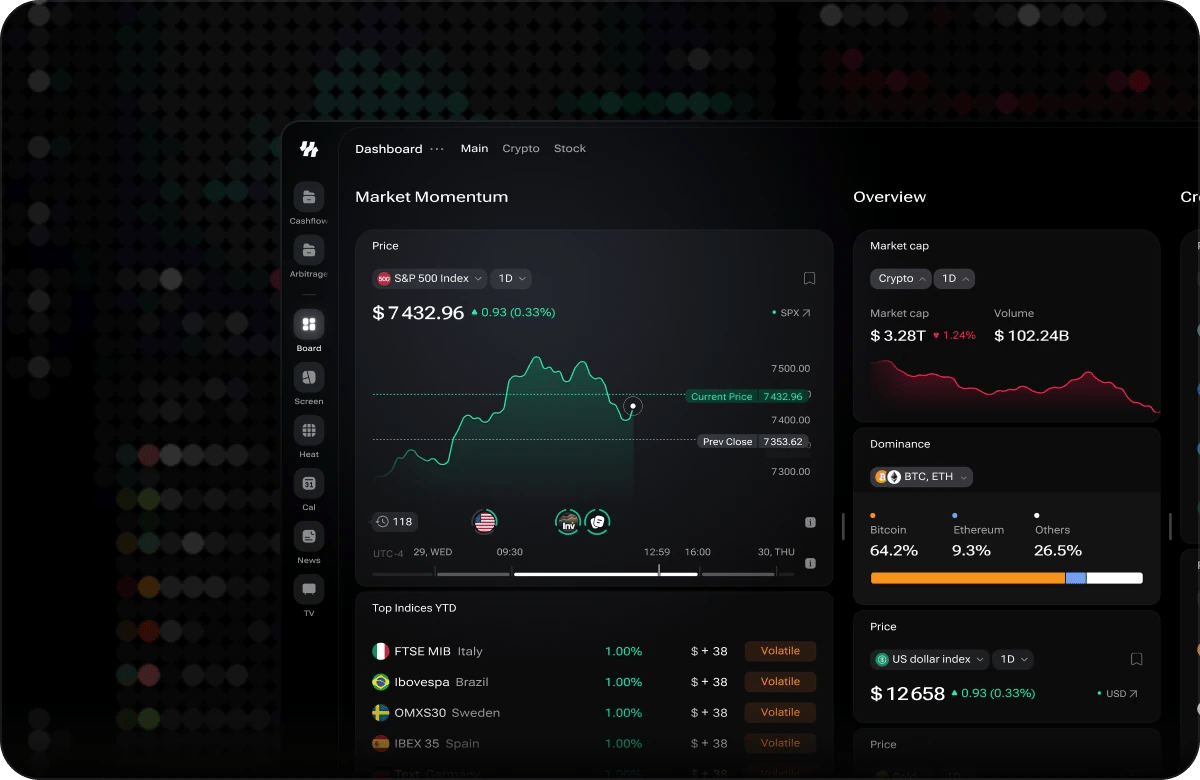
The dashboard opens on the **Main** tab — a broad, multi-column workspace covering indices, crypto, macro indicators, news, and the economic calendar. The tab bar also shows **Crypto** and **Stock** tabs; these preset dashboards are **coming soon** and are not yet enabled.
| Tab | Status |
| ---------- | ------------------------------------------------------- |
| **Main** | Active — broad market overview across all asset classes |
| **Crypto** | Coming soon — a digital-asset–focused preset |
| **Stock** | Coming soon — an equity-focused preset |
## Widgets
The dashboard is built from **widgets** — each a self-contained panel for one type of market data
(prices, charts, macro indicators, crypto metrics, news, and more). Browse the full
**[widget catalog](/dashboard/widgets)** to see what each widget looks like and what it shows.
## Getting Started with the Dashboard
If you're new to the dashboard, two follow-on guides cover everything you need to begin building your workspace:
Learn how to add widgets to a tab, configure their filters and settings, and keep them up to date.
Resize, reorder, and arrange widgets into the column layout that works for you.
**Open Alpha notice:** i88 is currently in Open Alpha. Some widgets may display partial or delayed data as the platform evolves. Any signals or indicators are intended for research and informational purposes only and do not constitute financial or trading advice.
## Dashboard Tabs
The dashboard opens on the **Main** tab — a broad, multi-column workspace covering indices, crypto, macro indicators, news, and the economic calendar. The tab bar also shows **Crypto** and **Stock** tabs; these preset dashboards are **coming soon** and are not yet enabled.
| Tab | Status |
| ---------- | ------------------------------------------------------- |
| **Main** | Active — broad market overview across all asset classes |
| **Crypto** | Coming soon — a digital-asset–focused preset |
| **Stock** | Coming soon — an equity-focused preset |
## Widgets
The dashboard is built from **widgets** — each a self-contained panel for one type of market data
(prices, charts, macro indicators, crypto metrics, news, and more). Browse the full
**[widget catalog](/dashboard/widgets)** to see what each widget looks like and what it shows.
## Getting Started with the Dashboard
If you're new to the dashboard, two follow-on guides cover everything you need to begin building your workspace:
Learn how to add widgets to a tab, configure their filters and settings, and keep them up to date.
Resize, reorder, and arrange widgets into the column layout that works for you.
**Open Alpha notice:** i88 is currently in Open Alpha. Some widgets may display partial or delayed data as the platform evolves. Any signals or indicators are intended for research and informational purposes only and do not constitute financial or trading advice.