

Ticker pages by market
i88 supports six market types, and each ticker page is tailored to its asset class.Crypto
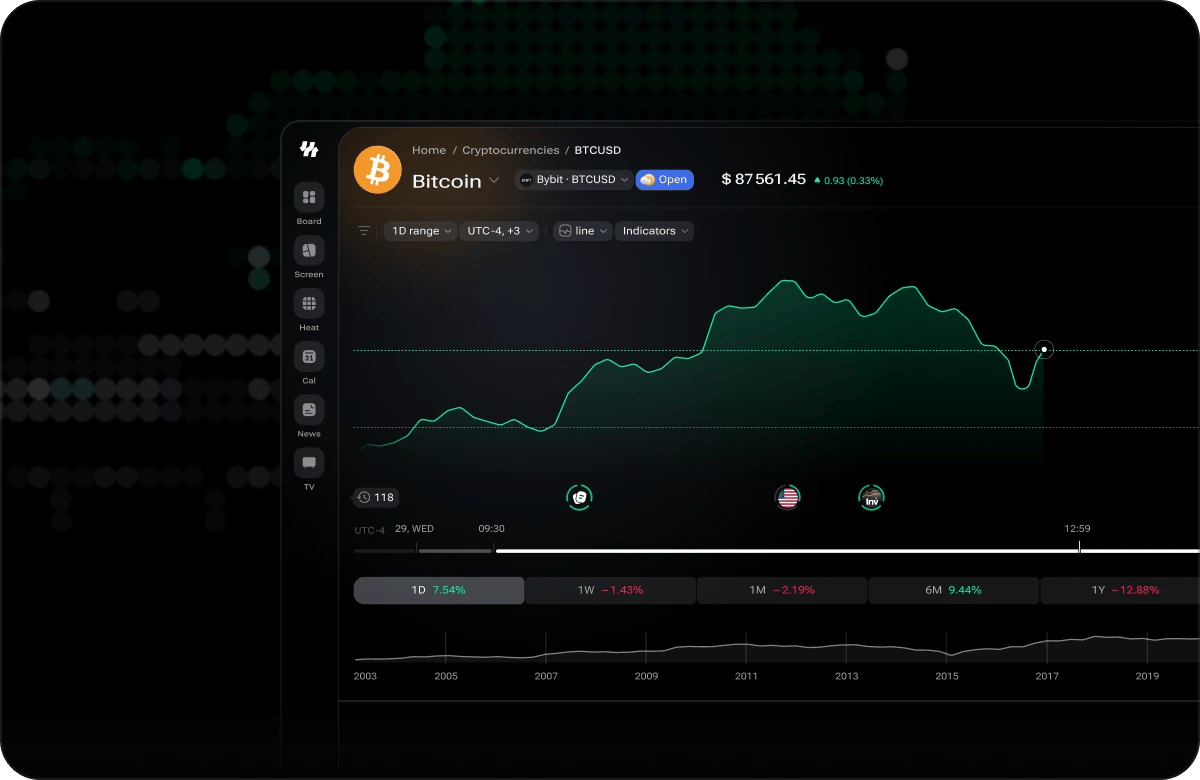
Crypto ticker — Bitcoin (BTCUSD)
- Technicals — oscillators and moving averages, each with its own reading and a summary verdict.
- Seasonals — how the asset has historically behaved through the year, so the current move has context. Each year is a coloured chip: click it to hide or show that year’s line, hover it to pick the line out, and use Show all years to bring every year back.
- Holdings — Addresses by Holdings breaks the circulating supply down by wallet size, and Whale Holdings shows the share controlled by the largest holders. Shown for coins where holder data is available.
- Transactions — Bitcoin Avg Transaction Fees (30d) charts what it has cost to move the asset over the past month, with the current headline figure beside the chart.
Stocks
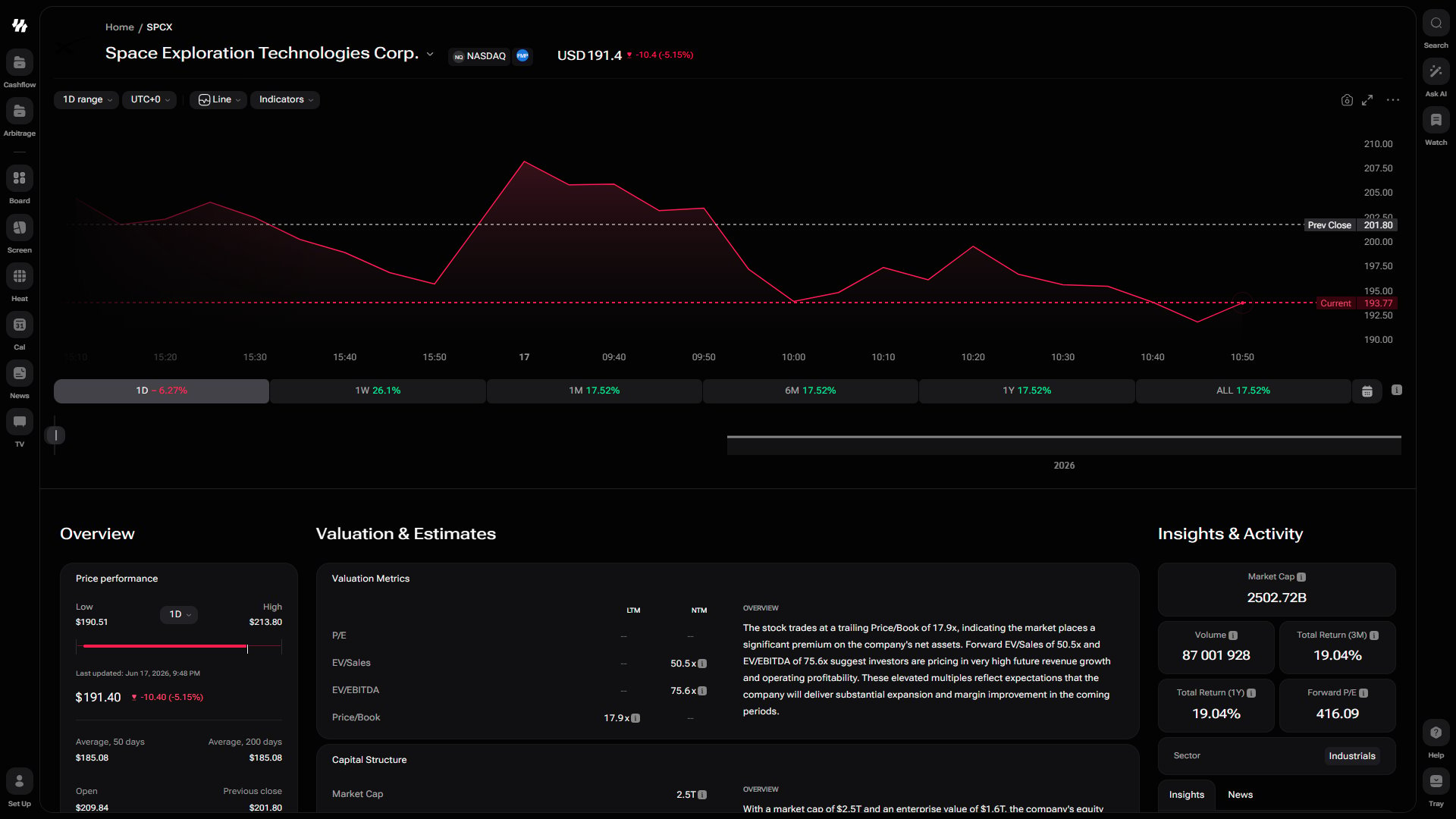
Stock ticker — Space Exploration Technologies (SPCX)
ETF
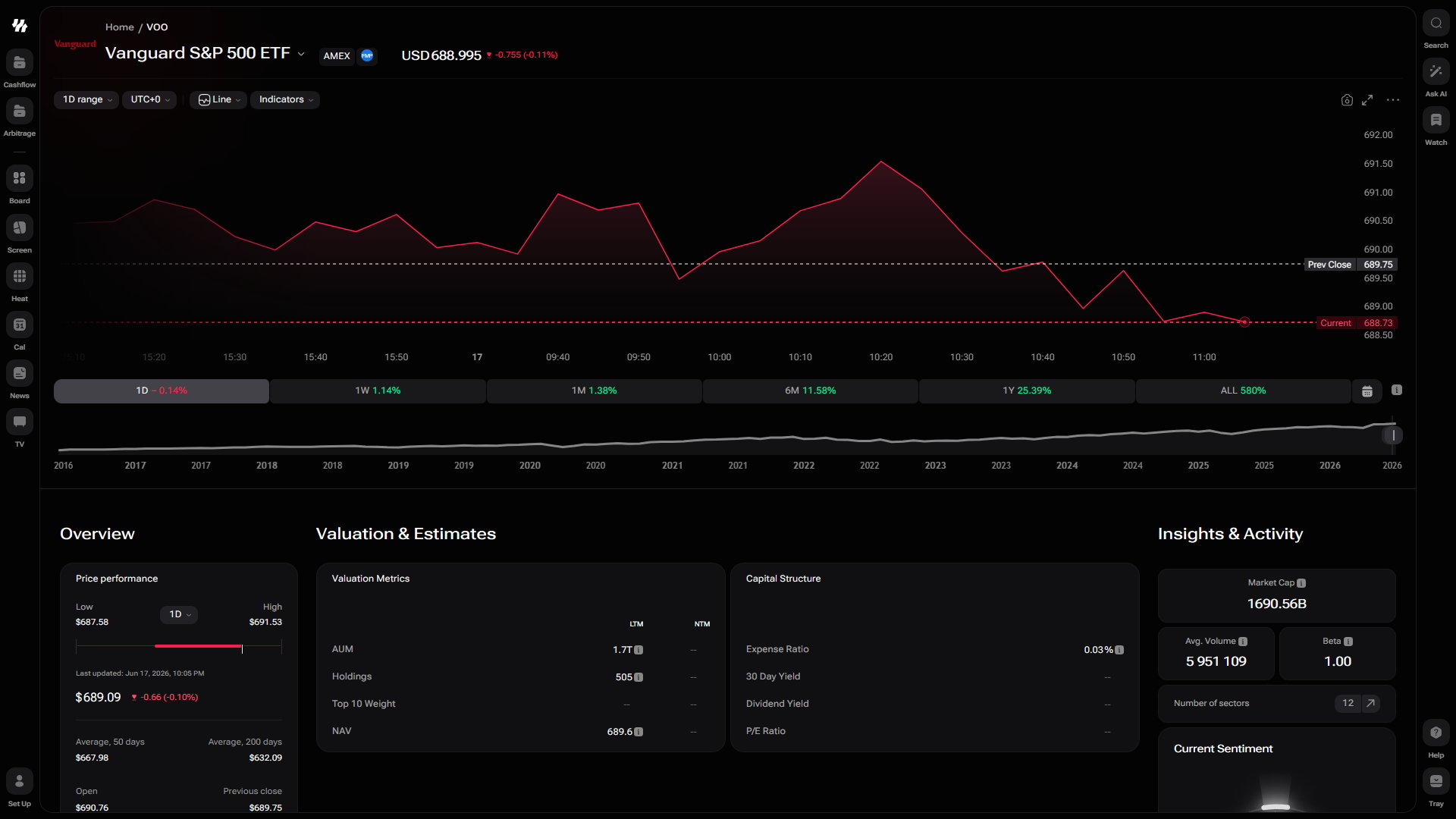
ETF ticker — Vanguard S&P 500 ETF (VOO)
Forex
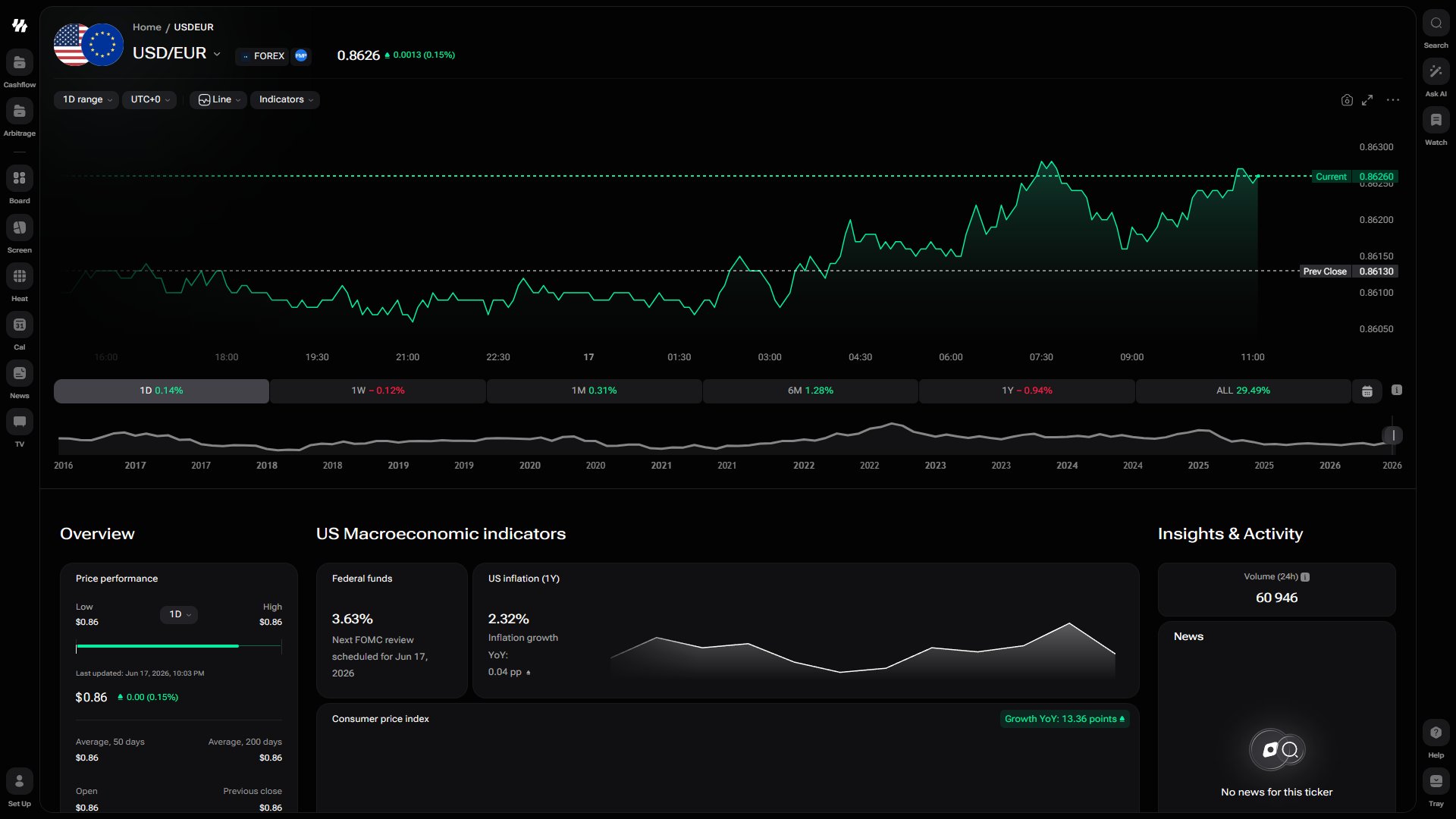
Forex ticker — USD/EUR
Index
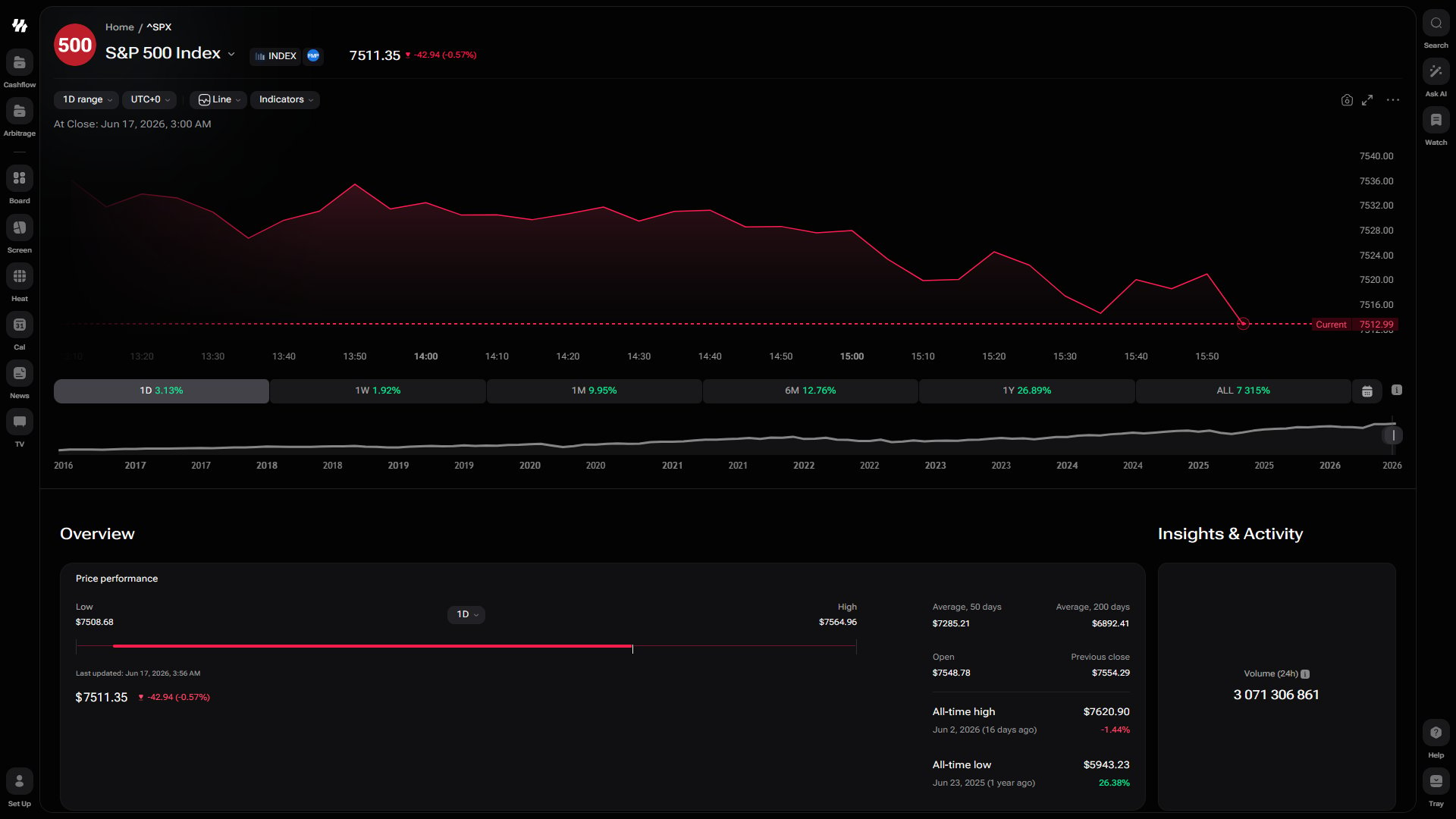
Index ticker — S&P 500
Commodity
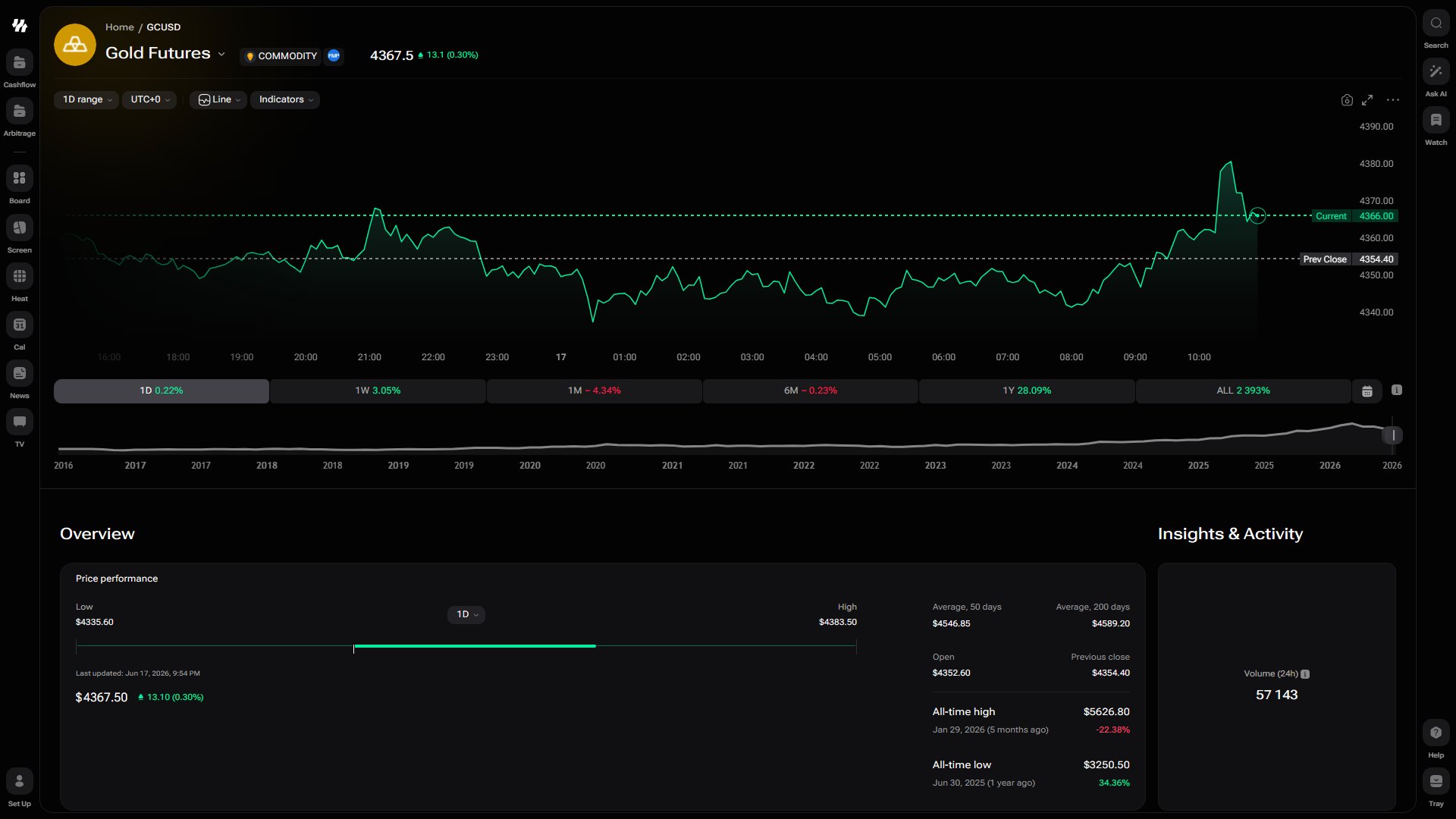
Commodity ticker — Gold Futures (GCUSD)
Opening a Ticker Page
Use the cross-market search in the i88 toolbar to find any asset instantly.1
Open Search
Click the search bar in the toolbar on any i88 page.
2
Type the Symbol or Name
Enter a ticker symbol (e.g.
AAPL, BTC) or a full company or asset name. Results appear across all supported markets as you type.3
Select the Result
Click the asset you want from the dropdown list. i88 opens the corresponding ticker page.
Price Chart
At the top of every ticker page sits an interactive price chart that you can customize to match your analysis style.- Chart type — Toggle between a Candlestick chart for OHLC detail or a Line chart for a clean price trend view.
- Time intervals — Switch between intraday, daily, weekly, monthly, and other intervals to zoom in or out on price history.
- Technical indicators — Add overlays and oscillators (such as moving averages, RSI, MACD, and more) directly on the chart to support your technical analysis.
- Candle detail on hover — Move the crosshair across the chart and a tooltip reports the open, high, low, close and volume of the candle beneath it, along with its change over the period.
Drawing on the Chart
A toolbar runs down the left edge of the price chart with everything you need to mark up your analysis. Click a group icon to pick up its most-used tool, or open the chevron beside it for the full list.Editing what you have drawn
Select a drawing and a small toolbar appears beside it.- Style it — Choose from six colours and four line widths, or switch the line to dashed. Text objects carry a colour of their own.
- Edit the text — Text, notes and callouts reopen for editing from the toolbar.
- Lock it — A locked drawing stays put while you keep working on the chart around it.
- Delete it — Remove a single drawing from the toolbar, or press Delete or Backspace while it is selected. Once the chart holds at least one drawing, a bin icon appears at the bottom of the toolbar to clear them all.
- Step back — Ctrl/Cmd + Z undoes your last drawing action and Ctrl/Cmd + Shift + Z redoes it.
Drawing is a desktop feature. On a phone or tablet the chart behaves as it did before.
Key Sections on a Ticker Page
Scroll down from the chart to explore the full range of data available for the asset.Price Performance
Price Performance
View historical returns at a glance across multiple time horizons — day, week, month, quarter, year, and more — so you can quickly assess how the asset has moved relative to different periods.
Insights & Activity
Insights & Activity
Review trading signals and activity metrics derived from price and volume data. Use these signals to inform your own research. See the disclaimer below regarding their intended purpose.
Valuation & Estimates
Valuation & Estimates
Examine valuation ratios including the P/E ratio and EPS, alongside analyst estimates where available. Use these figures to evaluate how the market is pricing the asset relative to its earnings.
Capital Structure Overview
Capital Structure Overview
Break down the asset’s balance sheet at a high level — including debt, equity, and cash positions — to understand how the company funds its operations and obligations.
Annual Returns
Annual Returns
See year-by-year performance figures in the Annual Returns widget to identify long-term trends and compare performance across calendar years.
Revenue & Margins
Revenue & Margins
Track top-line growth with the Revenue widget and monitor profitability trends with the Annual Margin Trends section, which shows how gross, operating, and net margins have changed over time.
Recent Activity
Recent Activity
Follow insider transactions for the company — the date of each trade, the insider who made it, the amount, and whether it was a purchase or a sale — to see who inside the business has been buying or selling and when. The section shows the latest trades; All reports opens the full list.
Top Peers
Top Peers
Compare the company against similar names on a like-for-like basis: free cash flow per share change, LTM revenue change, EV/Sales, and the P/E ratio, all in one table.
Sentiment
Sentiment
Check the sentiment score and breakdown to gauge the current market mood around the asset, drawing on aggregated signals from multiple data sources.
News
News
Read the latest ticker-specific news articles curated for the asset. These articles are filtered to be directly relevant to the company or instrument you are researching.
External Links & Description
External Links & Description
Access the asset’s description for background context, plus links to official sources such as investor relations pages, SEC filings, official websites, and other authoritative resources for further due diligence.