

Navigation Rail
The navigation rail runs down the left side of the screen and contains the primary sections of the platform.At the bottom of the rail, set apart by a divider, sits a TV icon. It is a display mode built for large screens rather than another section of the platform, and it is not yet enabled — coming soon.
Toolbar
The toolbar sits in the top-right corner of the screen and provides utilities you can reach from any view.- Search — Cross-market ticker search. Type a company name, symbol, or keyword to find stocks, crypto pairs, forex rates, ETFs, indices, or commodities instantly. On desktop it opens as a panel down the right-hand side of the screen; see The search panel below. On a phone or tablet it opens full-screen.
- Ask AI — An AI assistant for plain-language questions about prices, moves and news. It opens as a panel in the same dock as search and answers with the page you are on as context; see Ask AI. Desktop only for now — on a phone or tablet it is marked Soon.
- Watch — (Coming soon) A watchlist for monitoring instruments you add from ticker pages or search results.
- Help — Onboarding tours, feature guides, and support resources. It opens as a panel beside your content, in the same dock as search, rather than as an overlay on top of it. If you are new to i88, start here for a guided walkthrough of the platform. Give feedback and Report a bug in the same panel send your message straight to the i88 team.
The Search Panel
On desktop, Search opens a panel down the right-hand side of the screen rather than a dialog over the page, so a lookup does not have to interrupt what you are reading.- Dock it beside the page. The pin control in the panel header docks the panel into the layout: the content area narrows to make room and the panel sits alongside your work. Docked, it stays open as you move from ticker to ticker, survives a reload, and does not close when you choose a result.
- Or leave it floating. Unpinned, the panel sits above the page and closes when you pick a ticker, press Esc, or click outside it.
- Resize it. Drag the left edge of the panel to set its width, from 280 to 560 pixels, and double-click the edge to return to the default. The width is remembered between visits, and docking the panel in one browser tab applies in your others.
- Use it from the keyboard. Up and down move through results while the cursor stays in the search field, left and right switch market tabs, and Enter opens the ticker. The resize handle takes focus with Tab and moves with the arrow keys.
On narrow desktop windows the pin control is unavailable, and a panel you had docked collapses until there is room for it again.
Dashboard Tabs
When you open Board, the dashboard displays a tab row near the top of the content area. The default tabs are:- Main — Your primary general-purpose dashboard.
- Crypto — A dashboard preset focused on crypto market widgets.
- Stock — A dashboard preset focused on equity market widgets.
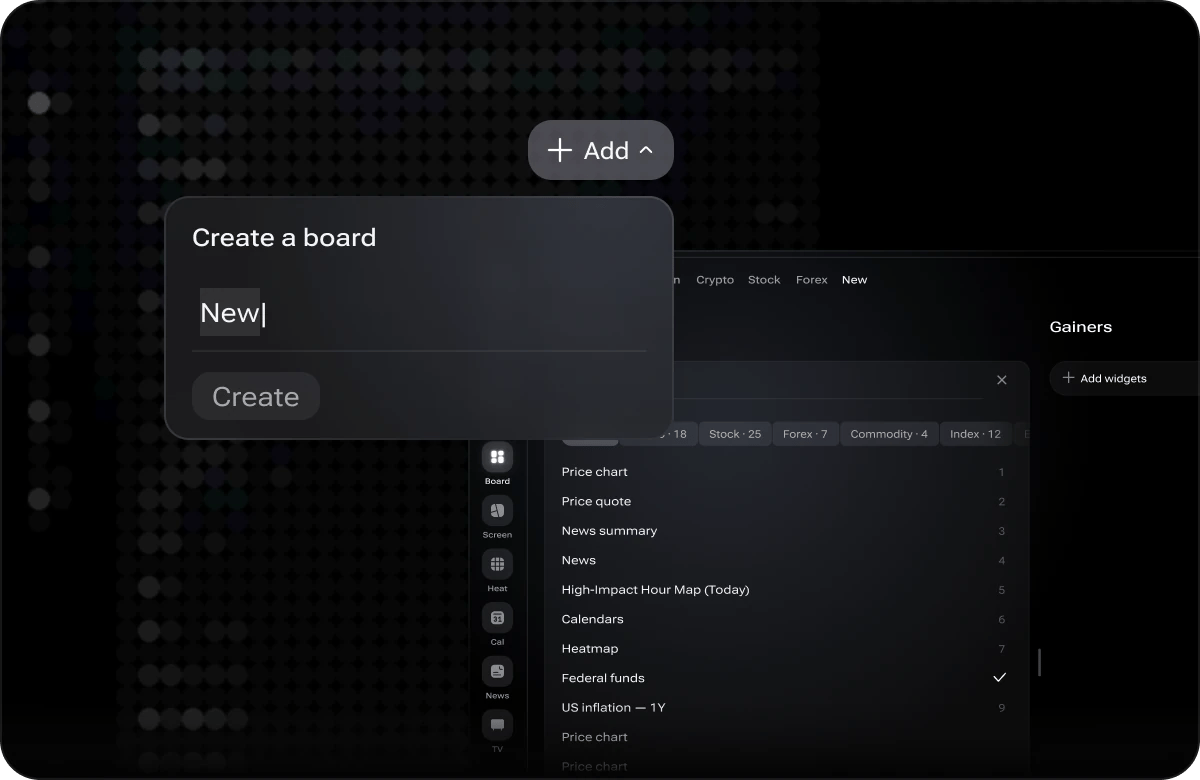
Creating a dashboard tab and picking widgets for it