

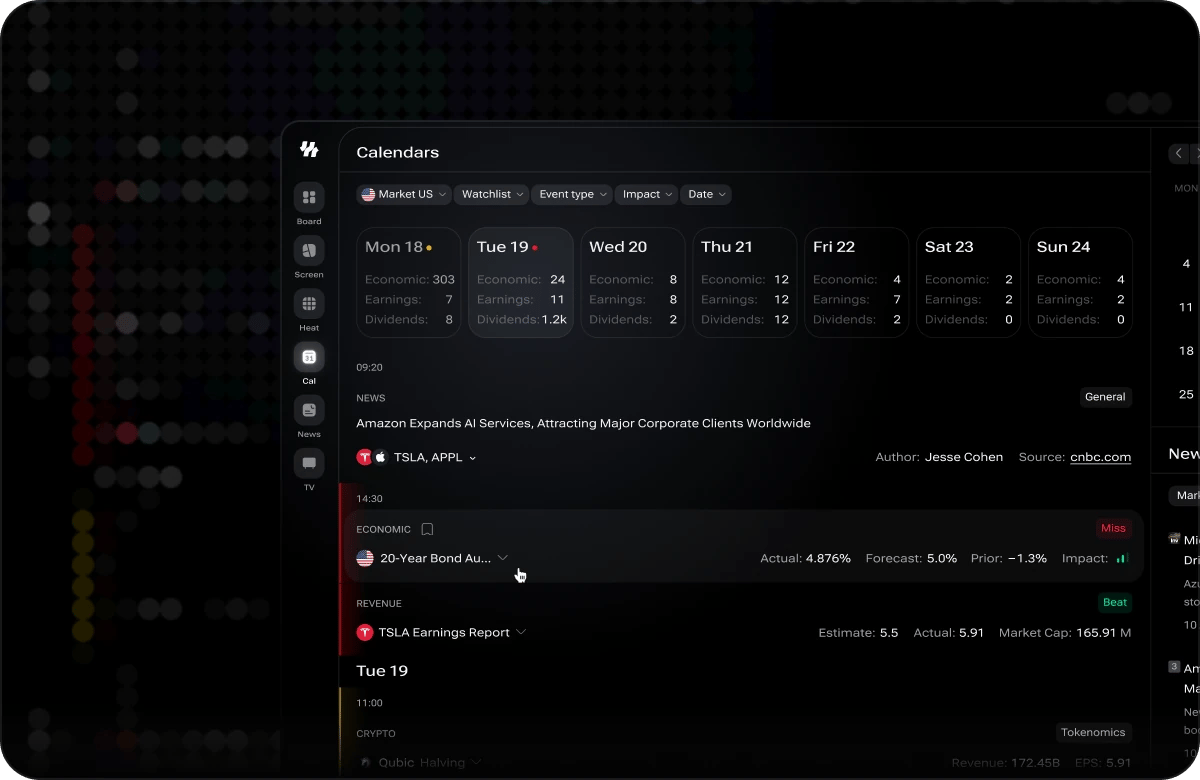
Calendars — the week strip above the event feed
Browsing Events
Events are listed in chronological order with the current date visible by default. Each event card shows the event name, the country it originates from, the scheduled time, its impact level, and the previous and forecast values where available. Use the date navigation controls at the top of the calendar to move forward to upcoming events or backward to review past releases. Past events also display the actual reported value alongside the forecast, so you can quickly see whether the result beat or missed expectations.Opening an Event
Select an event and its card expands in place, under the row you clicked, without moving you off the feed.- The full description. The expanded card shows the event write-up formatted in full — headings, lists and emphasis rather than a single block of text. Events that have no description yet say so instead of opening empty.
- Open Chart. Where an event is tied to an instrument, the expanded card carries an Open Chart link through to that ticker page.
- Copying stays safe. Selecting text inside a card does not collapse it, so you can lift a figure out of a description without losing your place.
Scrolling Through Days
The event board pages through days continuously. Scroll down and the following days load in beneath you; scroll up and earlier days load in above without the list jumping under your cursor. Quiet stretches such as weekends and holidays are pulled through automatically rather than stalling the board on the first empty day. Picking a date in the day selector — including Today — takes you straight to that date.Filtering Events
Narrow the calendar down to the events most relevant to your analysis using the three available filters.Country
Select Entire World to see events from all countries, or pick a specific country to focus only on releases from that economy.
Event Type
Filter by the category of economic release — such as GDP, CPI, interest rate decisions, employment, retail sales, and more — to focus on the data types that matter most to your strategy.
Impact
Filter by Low, Medium, or High impact to control the volume of events shown. Each event card displays a visual impact indicator so you can assess significance at a glance.
Understanding Impact Levels
Every event on the calendar carries an impact rating that indicates its potential effect on market volatility.- Low impact — Minor releases that rarely cause significant price moves. Useful for comprehensive tracking but unlikely to shift market direction on their own.
- Medium impact — Releases that can cause moderate volatility, especially if the result deviates significantly from consensus forecasts. Worth monitoring if you are trading assets sensitive to that data type.
- High impact — Major releases such as central bank rate decisions, non-farm payrolls, or CPI prints that frequently drive sharp, broad market moves. Pay close attention to these events and their scheduled times.
Clearing Filters
To reset the calendar to its default view, click the Clear button. All active country, event type, and impact filters are removed, and the full global event list is restored.During Open Alpha, calendar events may occasionally shift in time or have their data updated as i88 receives revised information from upstream providers. If you notice an event time or value change, this is expected behavior and reflects the most current data available.