

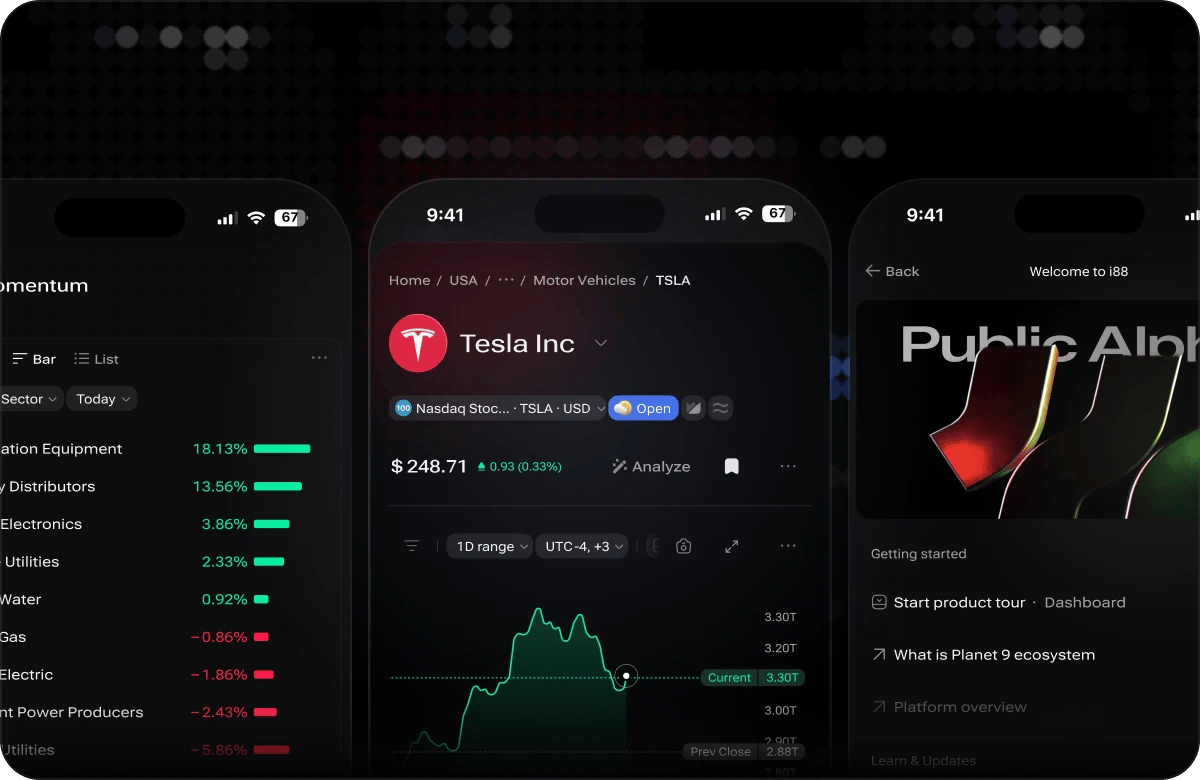
i88 on mobile — dashboard, ticker page and onboarding
Mobile Navigation
The mobile navigation has been refreshed to make moving around i88 fast and intuitive on small screens:- Tab switching — switch between dashboard tabs and major views with a single tap.
- Smooth scrolling — content scrolls fluidly throughout the app, including inside dashboards and on ticker pages.
- Touch-optimised controls — buttons, sliders, and interactive elements are sized and spaced for reliable tap targets on touchscreens.
- Toolbar access — the toolbar remains accessible on mobile, giving you quick access to views and your account. The Ask AI assistant is desktop-only for now and shows as Soon in the mobile menu.
Dashboard on Mobile
Your i88 dashboard is fully functional on mobile. The mobile experience includes several improvements that make dashboards reliable across devices:- Immediate widget loading — widgets load as soon as the dashboard opens; you do not need to scroll to trigger them.
- Mobile-optimised welcome dialog — the welcome screen is sized correctly for small displays so nothing is cut off or overlapping.
- iOS Safari slider fix — the dashboard slider works correctly on iOS Safari, so you can swipe between panels without unexpected behaviour.
- Saved dashboards — your account-linked dashboards are available on mobile exactly as they appear on desktop. Any changes you make on mobile sync back to your account automatically.
Ticker Pages on Mobile
Ticker pages display correctly on mobile with layout and section heights adapted for smaller screens:- Content sections stack cleanly in a single-column layout.
- Section heights scale to the viewport so nothing is clipped or overflowing.
- Charts and data tables are scrollable horizontally where needed.
Onboarding Tours
If you are new to i88 on mobile — or want a refresher — onboarding tours walk you through the key parts of the platform:- Tap the Help icon in the toolbar to access available tours.
- Tours are tailored to the mobile layout, so they highlight the correct elements on your screen.
- In-app release notes are also available from the Help menu, so you can stay up to date with new features as they ship during Open Alpha.
Add i88 to Your Home Screen (iOS)
Install i88 as a home screen app on iOS for one-tap access and a full-screen experience without the browser UI.1
Open i88 in Safari
Launch Safari on your iPhone or iPad and navigate to https://i88.io.
2
Tap the Share button
Tap the Share icon at the bottom of the screen (the box with an arrow pointing upward).
3
Tap 'Add to Home Screen'
Scroll through the share sheet and tap Add to Home Screen.
4
Confirm
Edit the name if you like, then tap Add in the top-right corner.
5
Launch from your home screen
i88 now appears on your home screen with its own icon. Tap it to open the platform in a full-screen view.