

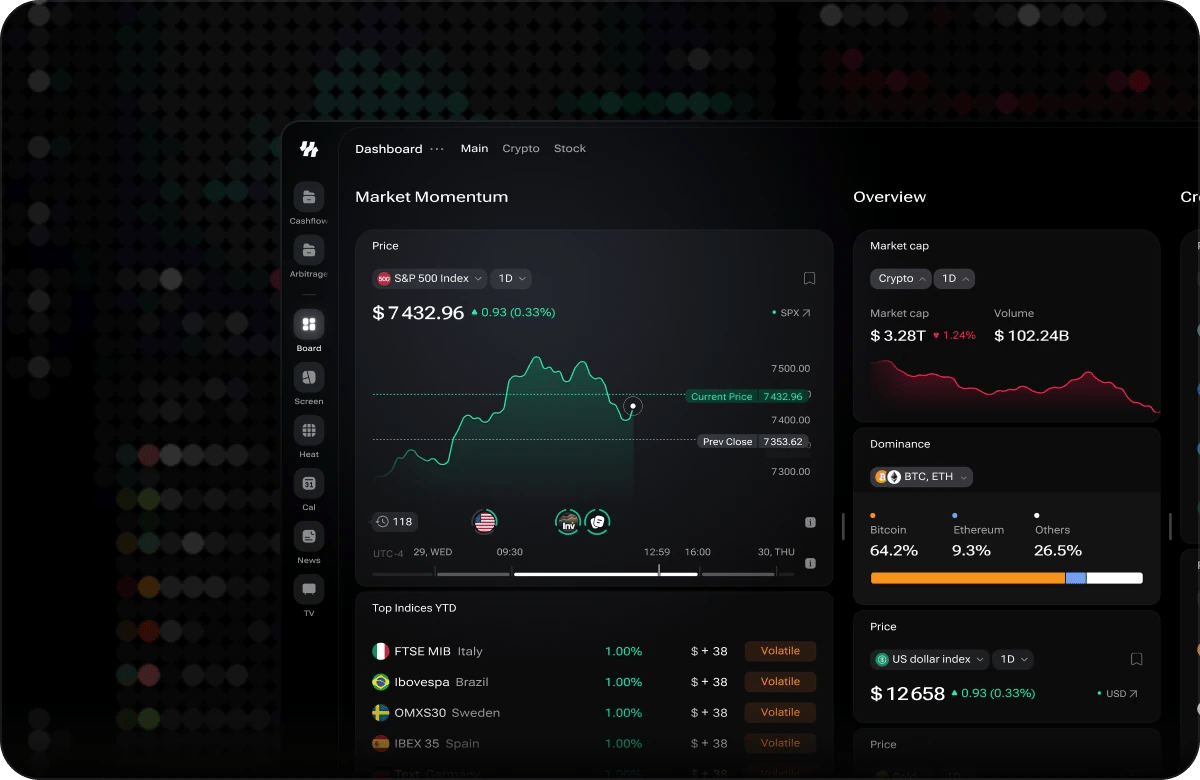
Dashboard — the Main tab
Dashboard Tabs
The dashboard opens on the Main tab — a broad, multi-column workspace covering indices, crypto, macro indicators, news, and the economic calendar, closing with a full-height Exchanges column. The tab bar also shows Crypto and Stock tabs; these preset dashboards are coming soon and are not yet enabled.Widgets
The dashboard is built from widgets — each a self-contained panel for one type of market data (prices, charts, macro indicators, crypto metrics, news, and more). Browse the full widget catalog to see what each widget looks like and what it shows.Getting Started with the Dashboard
If you’re new to the dashboard, two follow-on guides cover everything you need to begin building your workspace:Add and Configure Widgets
Learn how to add widgets to a tab, configure their filters and settings, and keep them up to date.
Customize Your Layout
Resize, reorder, and arrange widgets into the column layout that works for you.
Open Alpha notice: i88 is currently in Open Alpha. Some widgets may display partial or delayed data as the platform evolves. Any signals or indicators are intended for research and informational purposes only and do not constitute financial or trading advice.