

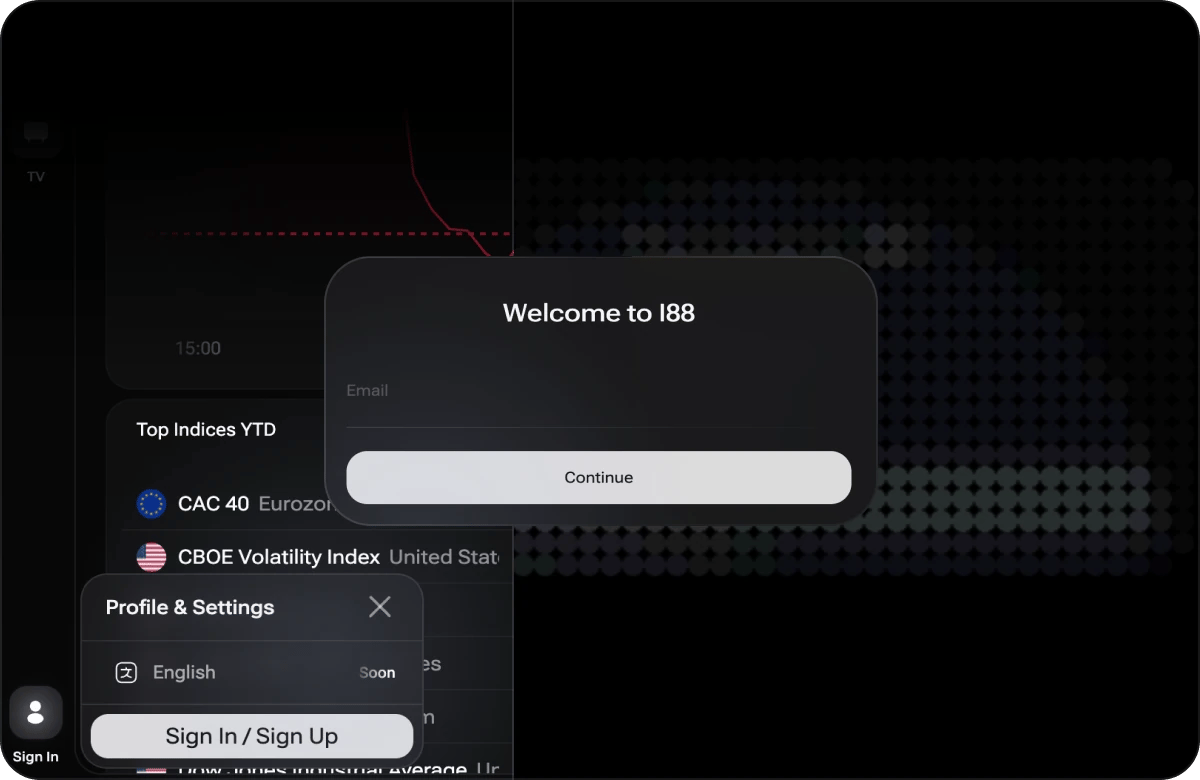
Opening the sign-in dialog from the toolbar
Creating an Account
1
Open i88
Go to https://i88.io in your browser.
2
Open the sign-in panel
Click the Sign In button in the bottom-left corner of the toolbar. On a mobile device, open the menu and choose the sign-in option there.
3
Choose sign up
Click Sign In / Sign Up and enter your email address. i88 does not use passwords — you confirm your identity with a one-time code sent to that address.
4
Confirm your email
Check your inbox and enter the code you received back on i88. If the code does not arrive, check your spam folder, make sure the email address was entered correctly, or request a new code.
5
Start using i88
Once confirmed, you are signed in and your account is active. Any dashboards you create or modify are now saved automatically.
Signing In
1
Open i88
Navigate to https://i88.io.
2
Open the sign-in panel
Click the Sign In button in the bottom-left corner of the toolbar. On a mobile device, open the menu and choose the sign-in option there.
3
Enter your email
Type your registered email address and confirm it with the one-time code i88 sends you.
4
Sign in
Click Sign In. Your saved dashboards and preferences load automatically.
What Your Account Saves
Once you are signed in, i88 automatically persists the following to your account:- Dashboards — all of your dashboard tabs (Main, Crypto, Stock, and any custom tabs you have created).
- Widget configurations — the specific assets, chart types, and settings you have applied to each widget.
- Layout preferences — the position, size, and arrangement of widgets within each dashboard tab.